(Applicable to FairPrice Group app versions v8.0.0 and later)
Step 1: Go to your FairPrice Group app > "Me" (bottom right button) > "Activity History".
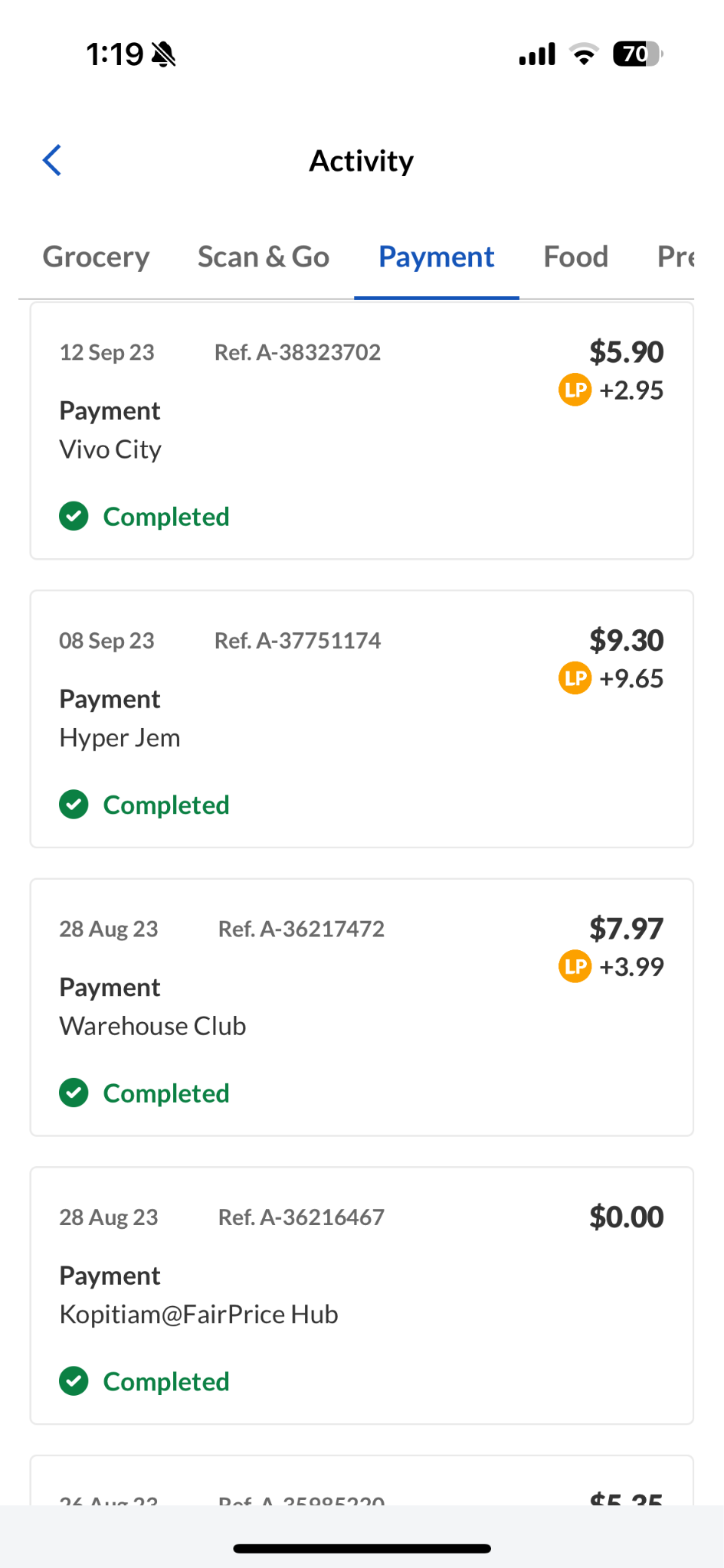
Step 2: Navigate to the "Payment" tab and tap the specific transaction.
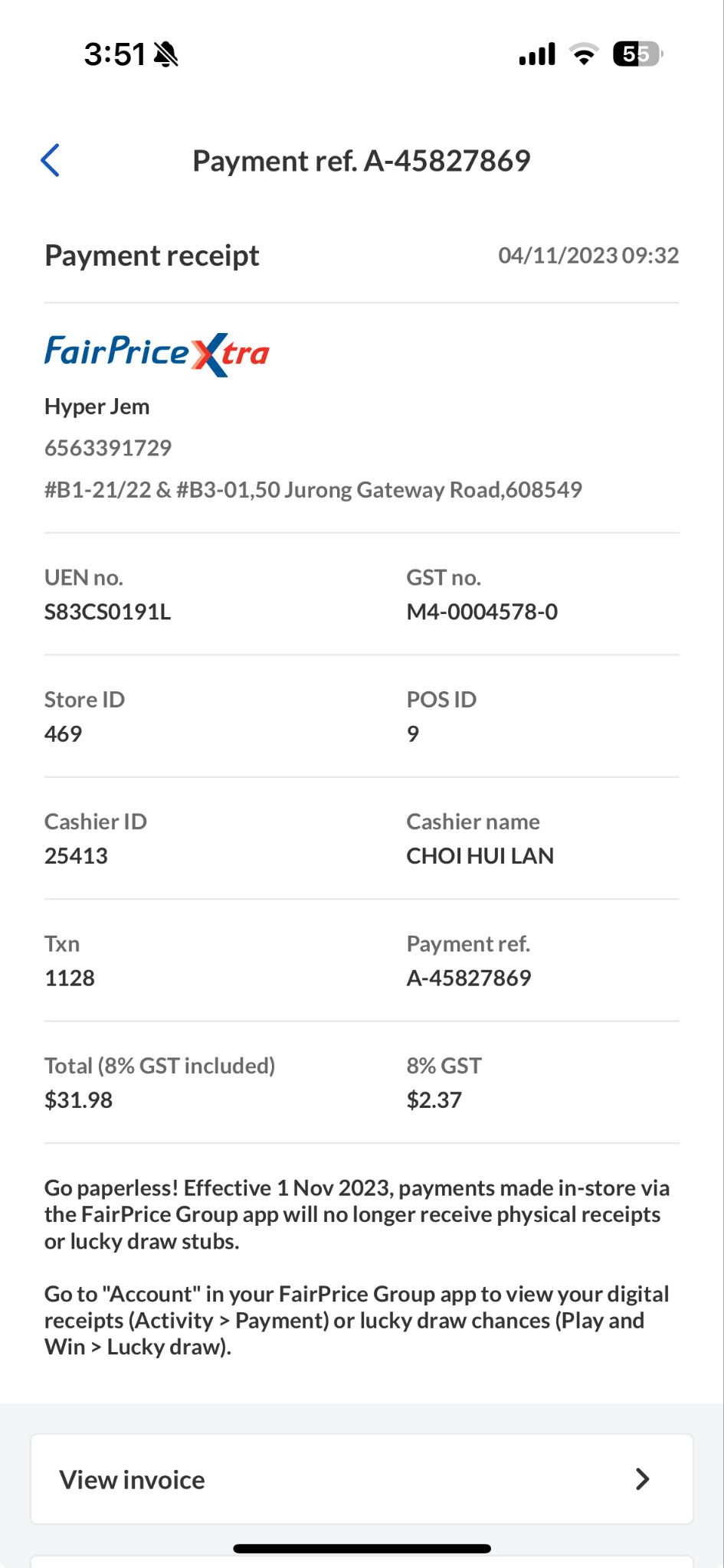
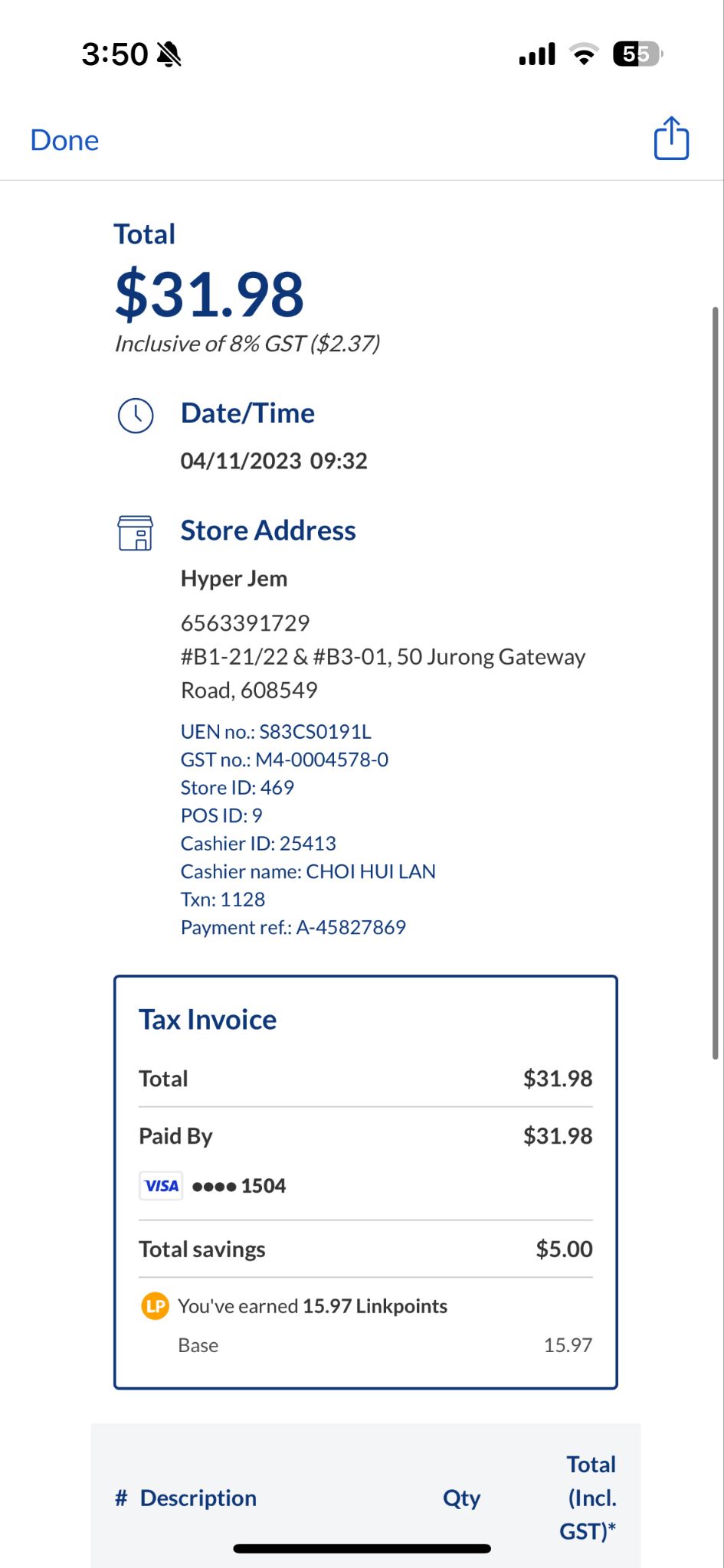
Step 3: Scroll down to "Payment Receipt". If you require a copy of the invoice, tap "View Invoice".
(Applicable to FairPrice Group app versions v7.9.9 and earlier)
You may track your transactions effortlessly on the app.
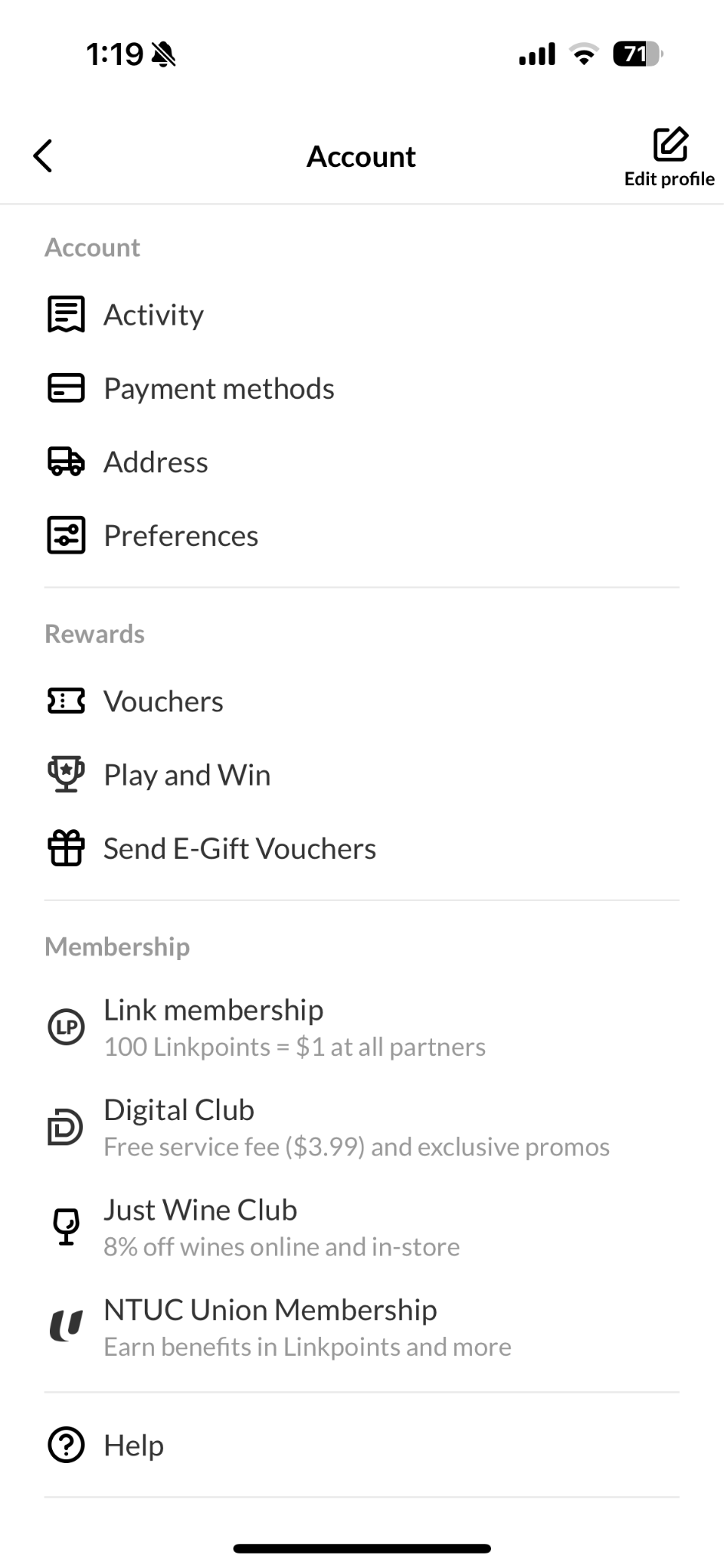
To view your digital receipts: go to your FairPrice Group app > Account > Activity > Payment
If you require a copy of the invoice: go to your FairPrice Group app > Account > Activity > Payment > select the payment transaction > View invoice